


The State of Serverless Security on Microsoft Azure


Serverless computing has an ideal operational model, one that allows organizations to run services without provisioning and managing underlying infrastructure. With serverless technology, cloud service providers (CSPs) are in charge of all things related to infrastructure.
However, this doesn’t mean that serverless services are free from security flaws. Users can, after all, upload code into multitenant environments. And when the code they upload is untrusted — or worse, malicious — it can pose several security challenges to organizations.
In our new report, we performed exploitation simulations of user-provided code vulnerabilities among serverless services provided by the major CSPs in the market. We have chosen to zero in on Microsoft Azure, where we found the most number of sensitive environmental variables based on our investigation. Leaked environmental variables can lead to the full compromise of the entire serverless environment. We discuss our full findings and our security recommendations in our research paper, “The State of Serverless Security on Microsoft Azure.”
A closer look at Microsoft Azure
In our investigation, we simulated a user code vulnerability exploitation to attempt remote code execution (RCE) on the infected environment using a remote shell that connects to our own server. After a successful connection was established, we ran commands that aimed to mimic what an attacker would do and looked for security gaps that can be abused.
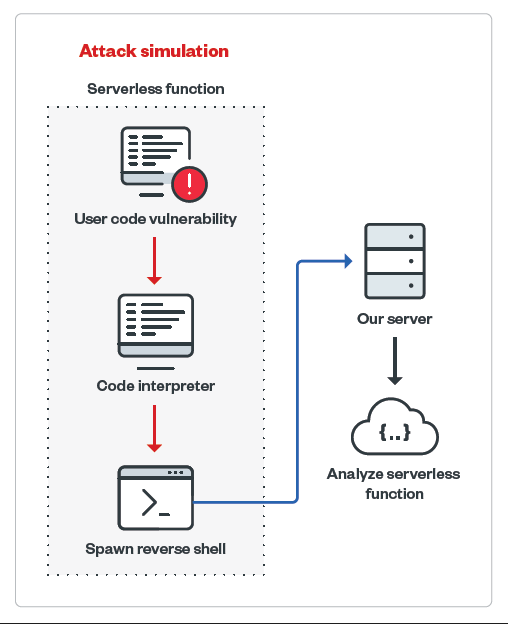
We focused on gathering environmental information, such as internal architecture hints, timeouts that apply to serverless environments, execution rights and capabilities, networks, and disk access, some of which we discuss in this article. Meanwhile, our discussion of secrets management tools and methods, including storage and transfer of information, can be found in our research paper.
Azure App Service
The Azure App Service provides ready-to-use infrastructure for applications. Essentially, from a technical perspective, it is a Docker container with prepared images and language interpreters for listed runtime stacks, such as Python, Node.js, Java, .NET, and Ruby.
The presence of the “.dockerenv” file inside the file system root and the “docker run” command found inside the App Service log stream confirms that a Docker container engine is used for running the service.

Meanwhile, there are different timeouts set for web requests and spawned processes.
| Timeout for web request | Timeout for spawned process |
|---|---|
| 240 seconds | Up to 10 minutes |
Users can also bind App Service with continuous integration and continuous delivery (CI/CD) pipelines, such as GitHub repositories and commit triggers.
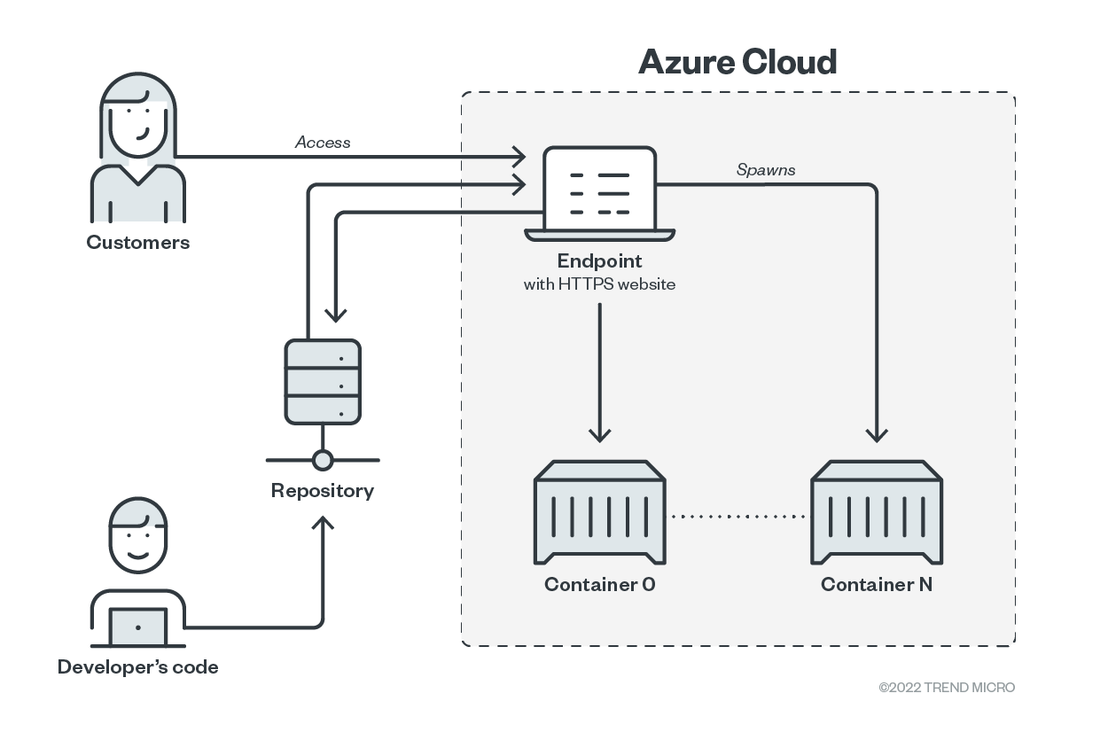
Source: Trend Micro Security News
Because the App Service is intended to be a publicly accessible web service, there is no default access limitation set. It is the user’s full responsibility to limit access, if needed.
Application and user permissions
Our investigation revealed that in Linux environments, the application and user permissions within an App Service application are running with root privileges within the security boundary of the container. However, the container root user is mapped to a less-privileged user inside the Docker host using the user namespace remap feature, which effectively lowers malicious actors’ attack options upon compromise.
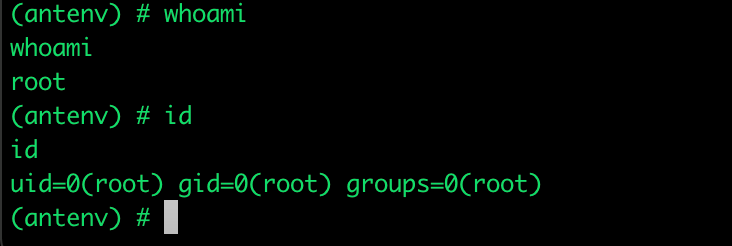
A low-privileged user, such as "www-data", can be used to run an App Service application. "Www-data" is the default user that web servers on Ubuntu and Apache use, and it is also what we used as a PHP container image in our analysis.
Despite being a low-privileged user, "www-data" can still be run under root within the security boundary of the running container when privileges are escalated.
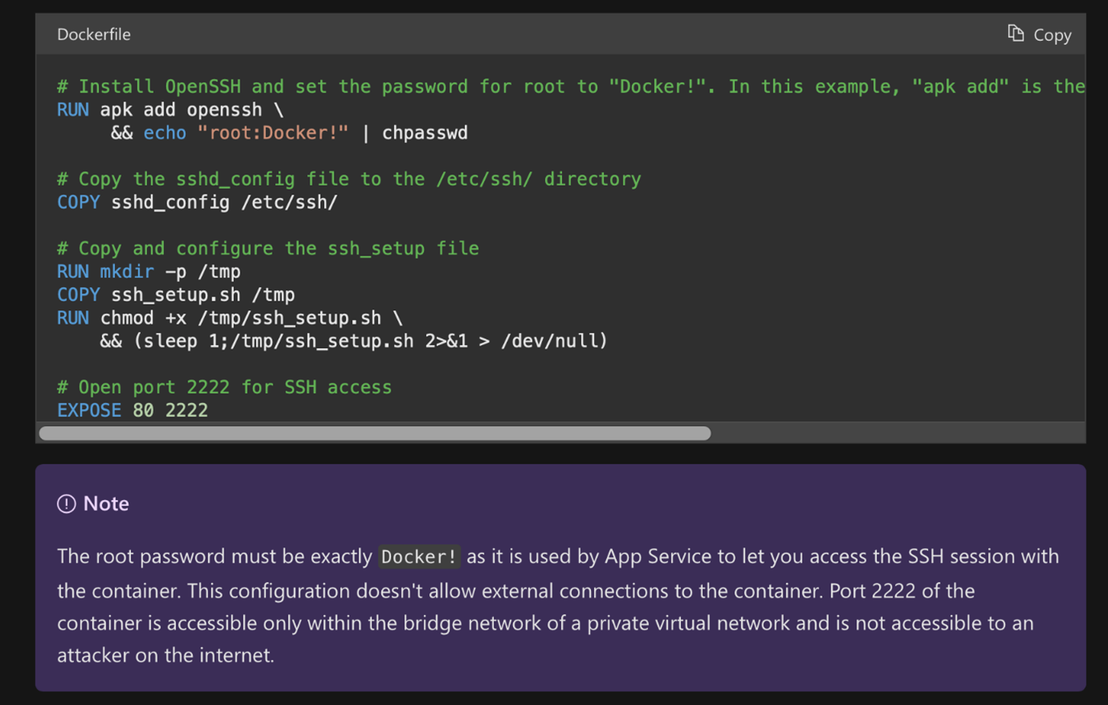
Source: Microsoft
Malicious actors can perform privilege escalation by entering the hard-coded master password “Docker!” via WebSSH, as it cannot be generated as an asymmetric keypair upon first execution.
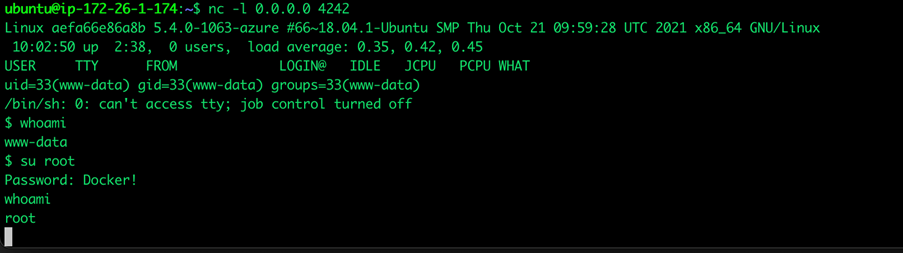
It’s important to note that the root user does not have all the capabilities of the host machine, and it is limited within container isolation schemes. This means that the container is not running in privileged mode.
Network
In our research paper, we list down the available root user capabilities within containers implemented on Linux. One of these root user capabilities is CAP_NET_RAW, which allows the creation of raw sockets. Raw sockets give access to lower layer protocols and can be abused in low-level network attacks.
A running container exposes two ports: a publicly accessible port for incoming connections that are handled by the application itself, and a port hidden behind the Azure authentication gateway for remote secure shell (SSH) access that only authenticated Azure App Service users can initiate.
Outbound network connections are enabled by default, which initiate remote connections to internet-available servers. These connections can be abused by attackers to initiate reverse shell connection attacks.
By default, a local area network (LAN) consists of a minimum of three IP addresses
• An IP address for the container network interface itself
• An IP address that serves as the default gateway for accessing the internet
• An IP address for incoming SSH connections from WebSSH
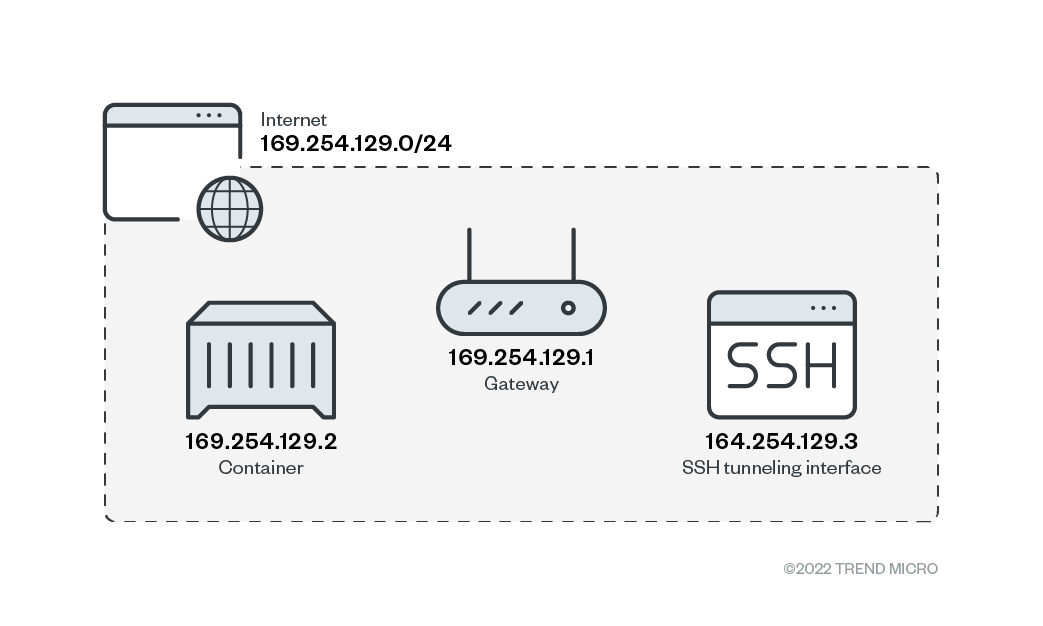
Source: Trend Micro Security News
Disk Access
Source code is deployed inside the "/tmp/{build directory}" folder when a container is executed and CI/CD is configured. Because containers are mainly designed to be stateless, there is an interesting Server Message Block 3.0 (SMB3) network mount on the "/home" directory. This volume serves as a persistent storage that hosts website files when CI/CD is not configured.
Historically, SMB servers are known for having multiple vulnerabilities. The WannaCry ransomware, one of the most nefarious ransomware families in history, previously abused an SMB vulnerability in its attack.
We discuss other exposed sensitive environmental variables inside the Microsoft Azure environment and how organizations can better secure their serverless environments in our research paper.